Synthesia Review 2026 – AI Video Generator Features, Pricing & Pros/Cons
Synthesia Overview
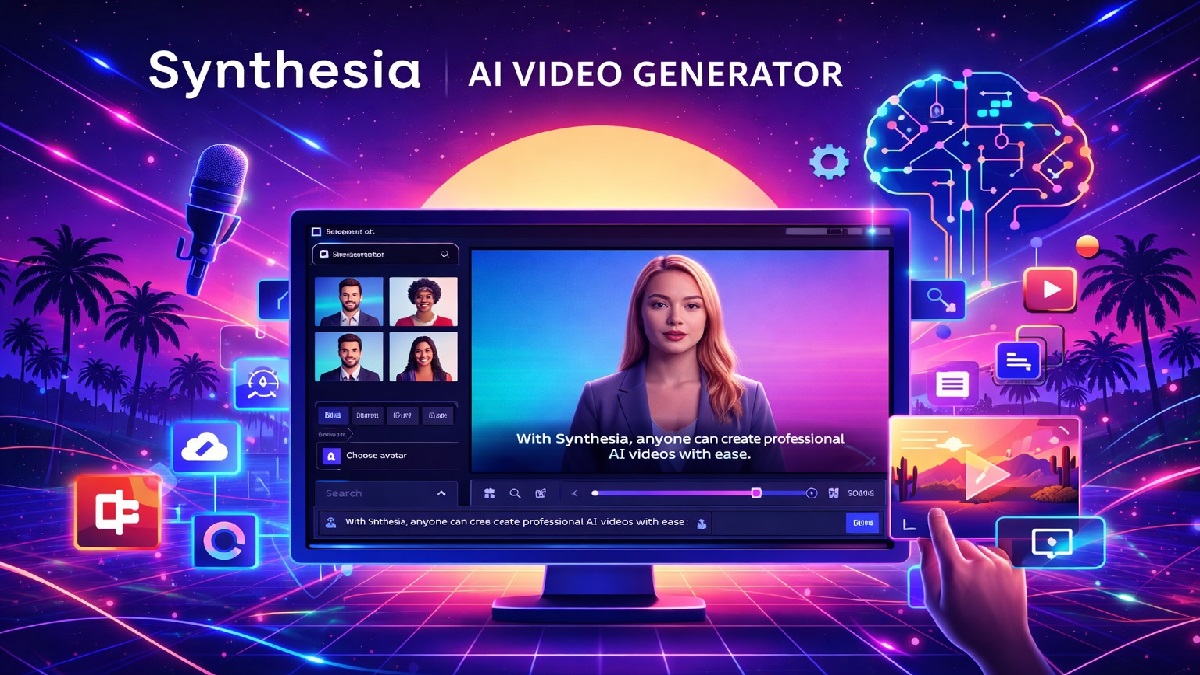
Synthesia is one of the most advanced AI video generation platforms available today, specializing in creating professional videos using realistic AI avatars and voiceovers. Unlike traditional video editing tools, Synthesia allows users to produce studio-quality videos without cameras, actors, or microphones.
The platform is widely used by businesses, educators, and marketers to create training videos, tutorials, product demos, and corporate presentations. By simply typing a script, users can generate a video where an AI avatar speaks the content in a natural voice, making it one of the most efficient tools for scalable video production.
With the rise of AI-driven content creation, Synthesia has positioned itself as a leader in avatar-based video generation. It removes the complexity of filming and editing while delivering high-quality results suitable for professional use.
In this detailed review, we explore Synthesia’s features, pricing, advantages, limitations, and whether it is the right AI video tool for your needs in 2026.
Synthesia: Quick Verdict
Synthesia is one of the best AI video tools for creating professional avatar-based videos. Its realistic avatars, multilingual voiceovers, and simple workflow make it ideal for business use, training content, and educational videos.
While it may not be designed for cinematic storytelling or advanced editing, it excels in producing clean, structured, and scalable video content. Companies looking to automate video production will benefit the most from this platform.
Pros
- Realistic AI avatars for professional videos
- Supports multiple languages and accents
- No camera or recording equipment needed
- Easy script-to-video workflow
- Perfect for training and corporate content
- Cloud-based and fast rendering
Cons
- Limited creative control compared to video editors
- Premium pricing for advanced features
- Less suitable for entertainment-style videos
What is Synthesia?
Synthesia is an AI-powered video creation platform that focuses on generating videos using digital avatars. Instead of recording a human presenter, users can select an AI avatar that delivers the script in a natural and professional way.
The platform uses advanced artificial intelligence and deep learning models to synchronize lip movements with speech, making the avatars appear realistic. This technology enables businesses to create videos at scale without hiring actors or setting up recording studios.
Synthesia is particularly popular for corporate training, onboarding videos, product tutorials, and multilingual communication. Companies can create consistent, high-quality content across different regions without additional production costs.
How Synthesia Works
Synthesia is an AI-powered video creation platform that allows users to generate professional videos without cameras, microphones, or actors. It uses artificial intelligence to convert text into realistic videos featuring human-like avatars and natural-sounding voiceovers.
1. Enter Your Script
Start by typing or pasting your script into the editor. This text will be used by the AI to generate speech and synchronize it with the avatar’s lip movements.
2. Choose an AI Avatar
Select from a wide range of AI avatars that act as virtual presenters. These avatars are designed to look realistic and can represent different languages, styles, and professional tones.
3. Select Voice & Language
Synthesia supports multiple languages and accents. You can choose a voice that matches your audience, making it ideal for global content creation and localization.
4. Customize Video Design
Enhance your video by adding backgrounds, text overlays, images, and branding elements. You can also adjust layouts to match your content style.
5. AI Video Generation
Once everything is set, Synthesia uses AI to generate the video. The avatar speaks your script with synchronized lip movements, producing a polished and professional result within minutes.
6. Download or Share
After rendering, you can download the video or share it directly across platforms. The final output is suitable for marketing, training, social media, and business presentations.
Why It’s Powerful
- No need for cameras or video editing skills
- Fast and cost-effective video production
- Supports multiple languages and global audiences
- Consistent quality with AI avatars
Key Features of Synthesia
Synthesia offers a powerful set of AI-driven tools that simplify video creation, making it accessible, scalable, and cost-effective for businesses, marketers, and educators.
1. AI Avatars
Choose from a large library of realistic AI avatars that present your content naturally with accurate lip-sync and expressions, eliminating the need for actors or cameras.
2. Text-to-Video Generation
Convert written scripts into professional videos instantly. Simply enter your text, and Synthesia generates a complete video with voice and visuals.
3. Multilingual Support
Create videos in 120+ languages and accents, making it easy to reach global audiences without hiring translators or voice actors.
4. AI Voiceovers & Voice Cloning
Access hundreds of natural-sounding AI voices or clone your own voice for personalized and consistent branding across videos.
5. Video Templates
Get started quickly with 250+ pre-designed templates for training, marketing, onboarding, and more, all fully customizable.
6. Custom Avatars
Create personalized avatars based on real people to maintain brand identity and add a human touch to your content.
7. 1-Click Translation & AI Dubbing
Translate videos into multiple languages with automatic lip-sync, making localization fast and efficient.
8. Screen Recorder
Record your screen, generate transcripts, and turn recordings into polished videos with minimal effort.
9. Brand Customization
Apply your brand colors, logos, and styles to ensure every video aligns with your identity.
10. Collaboration Tools
Work with your team in real-time by sharing, editing, and reviewing videos within the platform.
11. Analytics & Insights
Track performance with detailed analytics such as views, engagement, and completion rates.
12. LMS Integration (SCORM Export)
Export videos in SCORM format and integrate them seamlessly into learning management systems for training and education.
13. Version Control
Update videos anytime without creating duplicates—changes are synced automatically across all versions.
Performance & Ease of Use
Synthesia is widely recognized for its simplicity and efficient performance, making it a popular choice for businesses, educators, and content creators who want to produce videos quickly without technical expertise.
Ease of Use
One of Synthesia’s strongest advantages is its user-friendly interface. The platform is often compared to tools like PowerPoint, allowing users to create their first video within an hour, even without prior video editing experience.
- Simple drag-and-drop editor
- Minimal learning curve for beginners
- Quick setup and fast video creation
- Pre-built templates streamline workflow
User ratings consistently highlight ease of use as a key strength, with scores around 4.5/5 across major review platforms.
Performance
Synthesia performs well for most standard use cases, especially in creating training and marketing videos at scale. The platform is generally stable, with reliable rendering and minimal downtime reported by users.
- Fast video generation (minutes instead of hours)
- Consistent output quality for business content
- Scalable for bulk video production
- Cloud-based processing (no heavy hardware required)
Real-World Performance Insights
While performance is strong overall, some users report occasional limitations:
- Avatar lip-sync and expressions may not always be perfectly realistic
- Minor audio-video sync issues in certain cases
- Content moderation can delay or block video publishing
- Rendering quality may vary for complex or long videos
Despite these drawbacks, Synthesia delivers solid performance for its core purpose—turning text into professional videos quickly and efficiently—making it ideal for corporate training, onboarding, and marketing use cases.
Specifications
Below are the core technical specifications of Synthesia, covering video output, AI capabilities, supported formats, and platform features.
| Platform Type | Cloud-based (browser-based, no installation required) |
|---|---|
| Video Resolution | Up to Full HD (1080p); 4K supported for avatar creation input |
| AI Avatars | 240+ stock avatars with custom avatar support |
| Languages & Voices | 140–160+ languages and 2,000+ AI voices |
| Voice Features | Text-to-speech, voice cloning, multilingual dubbing |
| Video Templates | 250+ customizable templates |
| Media Library | Millions of royalty-free images, videos, icons, and music |
| Editor Type | AI-powered video editor with drag-and-drop interface |
| Input Formats | Text scripts, images, videos (MP4, MOV, WEBM) |
| Output Format | MP4 video download and shareable links |
| Frame Rate | ~30 FPS supported for avatar videos |
| File Size Support | Up to 2GB (for uploaded avatar/video assets) |
| AI Features | AI avatars, AI voiceovers, script generator, video translator, automatic subtitles, lip-sync technology |
| Collaboration | Real-time team collaboration and feedback tools |
| Integrations | LMS (SCORM), enterprise tools, API access (enterprise plans) |
| Security & Compliance | SOC 2 compliant, GDPR compliant, content moderation system |
| Rendering Speed | Typically minutes depending on video length and complexity |
Additional Technical Notes
- Supports personal avatar creation using recorded video or webcam input
- Preferred input resolution for avatars: 4K (3840×2160), minimum Full HD
- Supports AI dubbing with synchronized lip movements
- Multilingual video player auto-detects viewer language
Synthesia Pricing
Synthesia offers flexible pricing plans based on video minutes, features, and team size. It includes a free tier for beginners and scalable paid plans for professionals and enterprises.
| Plan | Price | Video Minutes | Best For |
|---|---|---|---|
| Free / Basic | $0/month | ~3–10 minutes/month | Testing and beginners |
| Starter | $29/month ($18/month billed yearly) |
10 minutes/month | Individuals & small teams |
| Creator | $89/month ($64/month billed yearly) |
30 minutes/month | Professionals & growing teams |
| Enterprise | Custom pricing | Unlimited (custom limits) | Large organizations |
Plan Breakdown
Free Plan
- Limited video minutes
- Watermarked videos
- Basic avatars and templates
Starter Plan
- 125+ AI avatars
- 10 minutes of video/month
- Full HD video downloads (MP4)
- Remove watermark
- AI video assistant & dubbing
Creator Plan (Most Popular)
- 180+ AI avatars
- 30 minutes of video/month
- Custom avatars (limited)
- API access & interactive videos
- Priority support
Enterprise Plan
- Unlimited video creation
- Unlimited custom avatars
- Advanced integrations (SSO, SCORM, API)
- Dedicated support & onboarding
- Team collaboration features
Key Pricing Notes
- Pricing is based on monthly video minutes (credits system)
- Annual billing saves up to 30–40%
- Unused video minutes do not roll over
- Custom avatars and advanced features may cost extra
Who Should Use It
Synthesia is designed for individuals and organizations that want to create professional videos quickly without the need for cameras, actors, or complex editing tools. It is especially useful for teams that need scalable, consistent, and multilingual video content.
Best For
1. Corporate Training & HR Teams
Ideal for onboarding, compliance training, and internal communications. Teams can easily update scripts and regenerate videos without re-recording content.
2. Global Businesses
Perfect for companies operating in multiple regions that need the same content in different languages. Synthesia enables consistent messaging across 100+ languages without hiring translators or voice actors.
3. Marketing & Sales Teams
Great for creating product demos, explainer videos, and personalized sales outreach at scale while maintaining brand consistency.
4. Educators & E-Learning Creators
Useful for producing online courses, tutorials, and training materials quickly, helping educators reach wider audiences without spending time on recording and editing.
5. Customer Support & Product Teams
Helps convert documentation, FAQs, and knowledge base articles into easy-to-understand video guides, improving customer experience.
6. Content Creators & Agencies
Suitable for creators who want to produce videos without appearing on camera or investing in expensive production setups. It allows consistent content output with minimal effort.
Who Should Avoid It?
- Creators needing full creative control or cinematic video production
- Projects requiring highly realistic human emotions or acting
- Small teams with very limited video needs or budget constraints
- Content where authenticity and human presence are critical
Overall, Synthesia is best suited for structured, repeatable video use cases such as training, marketing, and communication—where speed, scalability, and consistency matter more than cinematic quality.
Synthesia vs Other AI Video Tools
Synthesia competes with several AI video generation platforms. Below is a side-by-side comparison with its top alternatives to help you choose the right tool.
| Feature | Synthesia | HeyGen | D-ID |
|---|---|---|---|
| Best For | Corporate training & enterprise use | Marketing & social content | Developers & photo animation |
| AI Avatar Quality | High (professional & consistent) | Very high (more expressive) | Good (less realistic for business use) |
| Languages Supported | 140+ languages | 40–70+ languages | ~30+ languages |
| Video Translation | Available (limited workflow) | Best-in-class with lip-sync | Not available |
| Custom Avatars | Yes (premium process) | Yes (faster creation) | Yes |
| Photo Animation | No | Yes | Best feature |
| Templates & Branding | Strong (enterprise-ready) | Strong | Limited |
| Collaboration Tools | Advanced (team workflows, LMS) | Moderate | Basic |
| API Access | Yes (enterprise) | Yes | Best for developers |
| Starting Price | ~$22–$29/month | ~$24–$29/month | ~$5.90/month |
Key Differences
- Synthesia: Best for enterprise training, large teams, and multilingual content with strong compliance and collaboration features.
- HeyGen: Best for marketing videos, social media, and realistic avatars with superior video translation and lip-sync.
- D-ID: Best for developers and creative use cases like animating photos or building AI avatar apps.
Which One Should You Choose?
- Choose Synthesia → If you need enterprise-grade video creation and global language support
- Choose HeyGen → If you want realistic avatars for marketing and social media
- Choose D-ID → If you need API access or photo-to-video animation
Final Verdict
Synthesia stands out as one of the leading AI video generation platforms, particularly for businesses and organizations that need to create professional videos quickly and at scale. Its biggest strengths lie in ease of use, realistic AI avatars, and strong multilingual support.
What It Does Best
- Extremely easy to use, even for beginners
- Fast video production (minutes instead of days)
- Highly scalable for training and enterprise content
- Supports 100+ languages for global reach
- Consistent and professional output quality
Many users report significant time and cost savings, with some organizations producing videos in hours at a fraction of traditional production costs.
Where It Falls Short
- Limited creative flexibility compared to traditional video tools
- AI avatars can still feel slightly unnatural in long videos
- Occasional lip-sync or audio inconsistencies
- Premium features can be expensive for small teams
While the platform is reliable and stable overall, some users note minor sync issues and limitations in customization, especially for highly creative or cinematic content.
Overall Rating
⭐ 4.5 / 5 — Excellent for business video creation, but not a full replacement for traditional video production tools.
Final Recommendation
Synthesia is a great choice if your priority is speed, scalability, and multilingual communication. It is ideal for corporate training, onboarding, and marketing videos where consistency matters more than cinematic storytelling.
However, if you need highly expressive, creative, or emotionally engaging videos, you may want to consider combining Synthesia with traditional video editing tools or exploring alternatives.
Try Synthesia Now