Claude AI Review 2026 – Features, Pricing, Pros & Cons
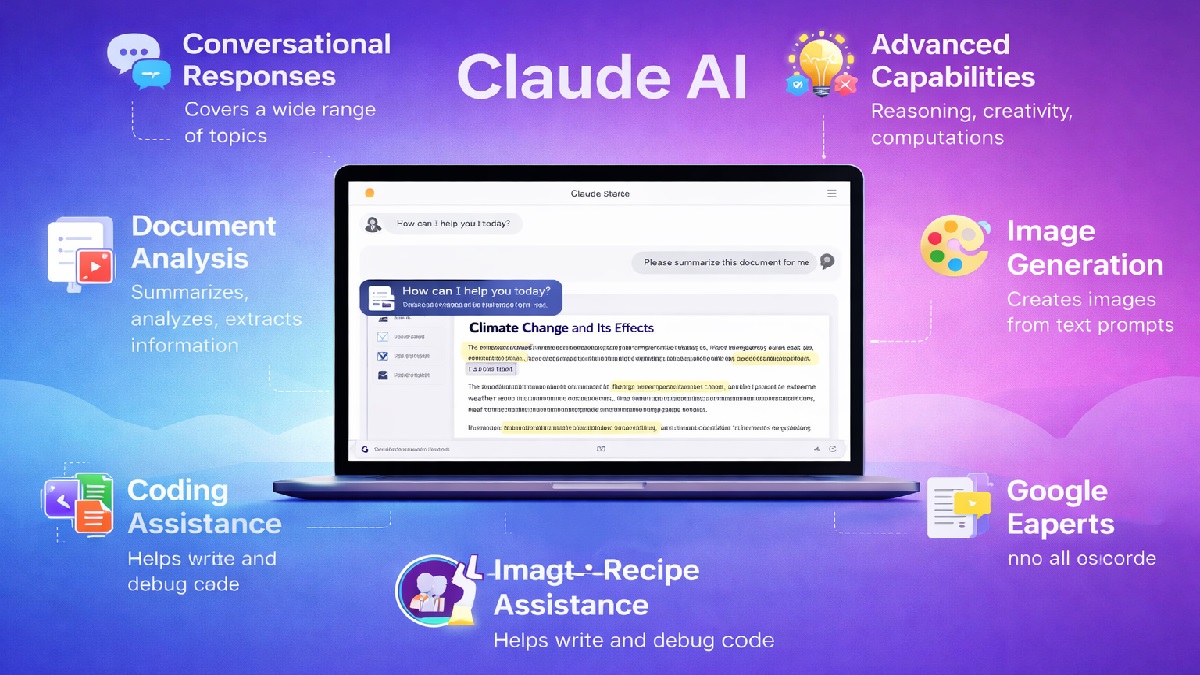
Claude Overview
Claude is an advanced AI assistant developed by Anthropic, designed to handle natural conversations, content creation, coding, and complex problem-solving. It is built with a strong focus on safety and reliability, using a unique approach called Constitutional AI to produce more accurate and aligned responses. Claude is widely used by professionals, developers, and businesses to improve productivity, whether it’s writing articles, analyzing data, or generating code.
One of Claude’s standout features is its ability to process very large amounts of text, making it ideal for long documents, research papers, and detailed workflows. It excels in long-form writing, deep reasoning, and document analysis, often providing more structured and thoughtful responses compared to many other AI tools. This makes it especially useful for researchers, content creators, and teams working with complex information.
Claude is available across web, mobile, and API platforms, allowing easy integration into various workflows and tools. It follows a freemium pricing model with both free and paid plans, offering increased capabilities for advanced users. Overall, Claude is considered one of the top AI assistants in 2026, particularly for users who need high-quality writing, detailed analysis, and reliable outputs.
Claude: Quick Verdict
Claude is one of the most powerful AI tools in 2026, especially for users who need deep reasoning, long-form writing, and handling large documents. Its strong focus on safety and reliability—driven by its Constitutional AI approach—makes it a dependable choice for professional and research-heavy tasks.
Claude stands out for its massive context window (up to ~1 million tokens) and advanced reasoning capabilities, allowing it to process complex inputs, lengthy files, and detailed workflows more effectively than many competitors. However, it may feel slightly less flexible in integrations and customization compared to some alternatives.
Pros
- Excellent long-form writing: Generates detailed, structured, and high-quality content for articles, reports, and documents
- Large context window: Can process very long texts, making it ideal for research papers and complex workflows
- Strong reasoning ability: Handles multi-step problems and complex instructions effectively
- Accurate and reliable outputs: Focuses on safer and more consistent responses
- Great for document analysis: Summarizes, explains, and extracts insights from large files
- User-friendly interface: Simple and clean design suitable for beginners and professionals
- Code assistance: Helps with coding, debugging, and explaining technical concepts
- Privacy-focused approach: Designed with strong safety and ethical AI principles
- Multi-platform availability: Accessible via web, mobile, and API integrations
Cons
- Limited integrations: Fewer third-party integrations compared to some competitors
- Slower response time: Can be slightly slower when handling complex or long inputs
- Less creative output: May produce more formal or cautious responses in creative tasks
- Usage limits: Free and lower-tier plans may have stricter usage caps
- No real-time browsing (in some modes): May lack up-to-date information depending on configuration
- Limited multimodal features: Compared to some rivals, support for images and other media may be more restricted
- Fewer customization options: Less flexibility for advanced personalization or tool integrations
- Dependent on prompt quality: Requires clear instructions for best results
What is Claude?
Claude is an advanced artificial intelligence assistant developed by Anthropic, designed to understand natural language and generate human-like responses. It is built using a safety-focused approach called Constitutional AI, which helps ensure more reliable, accurate, and aligned outputs. Claude can assist with a wide range of tasks including writing, coding, answering questions, summarizing content, and analyzing complex information.
It is widely used by students, professionals, and businesses to improve productivity and streamline workflows. Claude is especially known for its ability to handle long documents and complex instructions, making it a strong choice for research, detailed writing, and data analysis. Overall, Claude acts as a powerful and dependable AI assistant for both everyday tasks and advanced use cases.
Claude Workflow
- Define Your Objective: Clearly decide what you want to achieve, such as writing content, analyzing a document, or solving a problem.
- Provide a Clear Prompt: Enter a detailed and specific instruction to guide Claude for better accuracy and relevance.
- Upload or Input Content: Add text, documents, or data (if needed) for analysis, summarization, or processing.
- Review the Response: Carefully check the output for accuracy, clarity, and completeness.
- Refine the Prompt: Adjust your input or ask follow-up questions to improve the results.
- Edit & Customize: Modify the generated content to match your tone, style, or specific requirements.
- Apply the Output: Use the final result in your project, whether it’s content creation, coding, research, or business tasks.
This workflow helps users get the most accurate and useful results from Claude while improving efficiency and productivity.
Key Features
- Advanced Natural Language Understanding: Produces clear, human-like responses with strong contextual awareness
- Large Context Window: Handles long documents, research papers, and extended conversations efficiently
- High-Quality Writing: Excels at long-form content, summaries, reports, and detailed explanations
- Safe & Ethical AI: Designed with strong safety principles to minimize harmful or biased outputs
- Document Analysis: Can read, summarize, and extract insights from PDFs, text files, and large datasets
- Reasoning & Problem Solving: Performs well in logical thinking, step-by-step analysis, and complex queries
- Multi-language Support: Supports multiple languages for global users
- Simple User Interface: Clean and minimal chat interface for easy interaction
- API & Integration: Available for developers to integrate into apps, tools, and workflows
- Continuous Improvements: Regular updates enhance performance, accuracy, and capabilities
Claude: Performance and Ease of Use
Performance
Claude, developed by Anthropic, is known for its strong performance in handling complex language tasks, especially long-form content and detailed reasoning. It excels in analyzing large documents, summarizing information, and generating well-structured, coherent responses. Claude is particularly effective for research, academic writing, and tasks that require context retention over extended conversations.
- Accuracy: Produces reliable and thoughtful responses with a focus on safety and reduced inaccuracies
- Long Context Handling: Can process and analyze large amounts of text efficiently
- Reasoning Ability: Performs well in multi-step problem solving and logical tasks
- Consistency: Maintains a stable tone and structured output across responses
- Limitations: May be slower compared to some competitors and less optimized for real-time queries
Ease of Use
Claude offers a clean and straightforward user experience, making it accessible for both beginners and advanced users. Its conversational interface is simple to navigate, allowing users to interact naturally without technical complexity.
- Simple Interface: Minimalistic and distraction-free chat environment
- Beginner-Friendly: Easy to use without prior technical knowledge
- Clear Responses: Provides structured and easy-to-read outputs
- Low Learning Curve: Users can quickly adapt and start using it effectively
- Guided Interactions: Encourages safe and helpful responses through built-in AI alignment
Overall, Claude stands out for its thoughtful responses, strong reasoning, and ability to handle large amounts of information, making it an excellent choice for users who prioritize depth, clarity, and reliability.
Key Specifications
- Developer: Anthropic
- Initial Release: 2023
- Latest Models: Claude 3 family (Opus, Sonnet, Haiku) and newer updates
- Technology: Large Language Model (LLM) based on transformer architecture
- Type: AI Chatbot / AI Assistant
- Platform Availability: Web, iOS, Android, API
- Pricing Model: Freemium (Free + Paid plans like Pro and Team)
- Input Types: Text, Documents, Images
- Output Types: Text, Code, Summaries, Analysis
- Languages Supported: Multiple languages
- Context Window: Up to hundreds of thousands to ~1M tokens (model dependent)
- Core Capabilities: Writing, coding, summarization, research assistance, document analysis
- Multimodal Support: Yes (text and image processing)
- AI Approach: Constitutional AI (safety-focused training method)
- Deployment: Cloud-based
- User Interaction: Conversational (prompt-based interface)
Claude is a powerful AI assistant designed to deliver reliable, structured, and context-aware responses, making it ideal for long-form content, deep analysis, and professional use cases.
Pricing
Claude follows a freemium pricing model, offering a free plan along with paid tiers designed for individuals, professionals, and businesses.
Free Plan
- Price: $0/month
- Access to basic Claude models with usage limits
- Suitable for casual users and beginners
- Limited messages and features
Pro Plan
- Price: ~$20/month
- Higher usage limits and priority access
- Access to more advanced Claude models
- Faster response times
- Ideal for regular users, students, and creators
Team Plan
- Price: ~$25–$30/user/month (varies by region)
- Collaboration features for teams
- Shared workspace and project organization
- Better usage limits and performance
- Designed for startups and small teams
Enterprise Plan
- Price: Custom pricing
- Advanced security and compliance features
- Dedicated support and onboarding
- Custom integrations and scalability
- Best for large organizations and enterprises
Claude’s pricing is competitive and flexible, allowing users to start for free and upgrade as their needs grow. The paid plans offer improved performance, higher limits, and additional features, making Claude suitable for both individual and professional use.
Who Should Use Claude?
Claude is a powerful AI assistant designed for users who need deep thinking, long-form content generation, and reliable analysis. Its ability to handle large documents and complex instructions makes it suitable for a wide range of individuals and professionals.
- Students: Ideal for studying, summarizing notes, understanding complex topics, and writing assignments.
- Content Creators & Writers: Excellent for long-form articles, blogs, reports, and detailed content creation.
- Researchers & Analysts: Perfect for analyzing large documents, extracting insights, and handling complex data.
- Developers & Programmers: Helps with coding, debugging, documentation, and explaining technical concepts.
- Professionals & Businesses: Useful for reports, emails, documentation, and workflow automation.
- Teams & Startups: Supports collaboration, project planning, and knowledge management.
- Legal & Academic Users: Well-suited for reviewing lengthy documents, contracts, and research papers.
- General Users: Great for everyday tasks like learning, brainstorming, and improving productivity.
Whether you need help with detailed writing, research, or complex problem-solving, Claude is best suited for users who value accuracy, depth, and structured outputs.
Alternatives to Claude
While Claude is a powerful AI assistant, several other advanced AI tools are available in 2026, each offering unique strengths such as better integrations, real-time data access, or specialized capabilities.
- ChatGPT (OpenAI): A versatile AI assistant known for writing, coding, research, and productivity tasks. It offers strong multimodal features and a user-friendly interface.
- Google Gemini: Best for users in the Google ecosystem, with powerful search integration, real-time data, and strong multimodal capabilities.
- Microsoft Copilot: Integrated with Microsoft 365 tools like Word, Excel, and Outlook, making it ideal for business and productivity workflows.
- Perplexity AI: Focused on research and fact-based answers, providing responses with citations and real-time web data.
- Jasper AI: Designed for marketers and businesses, specializing in content creation, copywriting, and branding.
- Mistral AI (Le Chat): A privacy-focused AI solution with strong performance and compliance with European standards.
- Meta AI (Llama models): Open-source and customizable, suitable for developers and advanced users.
- Writesonic (Chatsonic): A content-focused AI tool with built-in SEO and marketing capabilities.
- Pi AI (Inflection): Known for its conversational and empathetic interaction style.
- You.com (YouChat): Combines AI chat with a search engine for quick answers and productivity tasks.
The best alternative depends on your needs—whether it’s writing, coding, research, or business use. Many users benefit from combining multiple AI tools to achieve better results across different tasks.
Claude vs ChatGPT vs Gemini – Detailed Comparison (2026)
Choosing the right AI assistant depends on your needs. Below is a detailed comparison of Claude, ChatGPT, and Google Gemini based on performance, features, and real-world usability.
| Feature | Claude (Anthropic) | ChatGPT (OpenAI) | Google Gemini |
|---|---|---|---|
| Developer | Anthropic | OpenAI | |
| Best Use Case | Long-form writing, document analysis, safe AI usage | All-in-one AI (writing, coding, productivity) | Search, research, Google ecosystem |
| Ease of Use | ★★★★☆ | ★★★★★ | ★★★★☆ |
| Content Writing | Excellent (long, structured content) | Excellent (creative + SEO content) | Very Good |
| Coding & Development | Very Good (strong reasoning) | Excellent (debugging + generation) | Good |
| Research & Accuracy | Excellent (safe + reliable responses) | Very Good | Excellent (real-time Google data) |
| Context Length | Very High (handles large documents) | High | High |
| Multimodal Support | Limited (mainly text-focused) | Yes (text, image, voice, files) | Yes (strong multimodal + Google tools) |
| Speed | Moderate | Fast | Fast |
| Free Plan | Yes | Yes | Yes |
| Paid Plans | From ~$20/month | From $20/month | Included in Google AI plans |
| Integrations | Limited ecosystem | Plugins, APIs, tools | Google Docs, Gmail, Search |
| Strengths | Safe AI, long context, strong reasoning | Versatile, beginner-friendly, fast | Real-time data, deep Google integration |
| Weaknesses | Fewer integrations, slower | Needs fact-checking sometimes | Less creative than competitors |
| Overall Rating | 4.7/5 ⭐ | 4.8/5 ⭐ | 4.6/5 ⭐ |
Final Verdict: Claude is the best choice for deep thinking, long-form content, and handling large documents with high accuracy. ChatGPT is the most versatile and beginner-friendly option, while Gemini stands out for real-time search and seamless integration with Google services.
Final Verdict
Claude stands out as a powerful AI assistant focused on accuracy, safety, and deep reasoning. It excels in long-form writing, document analysis, and handling large amounts of information with clarity and structure. This makes it an excellent choice for users who prioritize thoughtful, well-organized responses over speed or broad feature sets.
While it may not offer as many integrations or advanced multimodal features as some competitors, Claude delivers consistently reliable and high-quality outputs. Its emphasis on responsible AI and reduced hallucinations makes it particularly valuable for research, professional work, and detailed content creation.
Bottom Line: If your primary need is deep analysis, long-context understanding, and safer AI interactions, Claude is one of the best tools available. However, for a more all-in-one experience with faster performance and broader capabilities, pairing it with other AI tools can provide even better results.
Try Claude Now