Midjourney Review 2026 – Features, Pricing, Pros & Cons
Overview
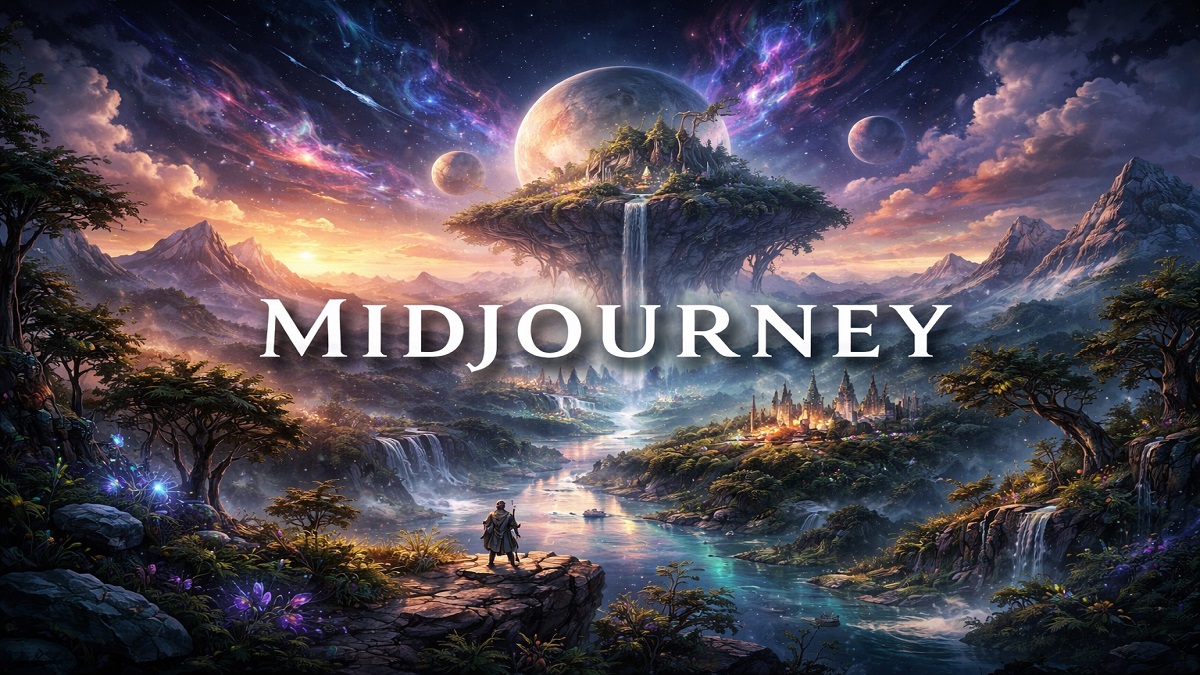
Midjourney is a powerful AI image generation tool that transforms text prompts into highly detailed and artistic visuals. Known for its unique aesthetic style and creative depth, Midjourney is widely used by designers, artists, and content creators to produce stunning digital artwork, concept designs, and imaginative scenes.
Unlike many AI tools, Midjourney operates primarily through platforms like Discord, where users can generate images by entering prompts in a chat-based interface. This approach makes it highly interactive and community-driven, allowing users to explore ideas, refine prompts, and view creations from others in real time.
One of Midjourney’s biggest strengths is its ability to generate visually rich and stylistic images. It excels in producing cinematic scenes, fantasy art, surreal compositions, and highly detailed illustrations that often feel more “artistic” compared to other AI image generators. Users can control aspects such as style, lighting, aspect ratio, and level of detail through prompt engineering and built-in parameters.
Midjourney is particularly popular among creative professionals who want inspiration, concept art, or high-quality visuals for branding, storytelling, and design projects. While it may have a slight learning curve due to its prompt-based system and Discord interface, the results are often worth the effort.
Midjourney: Quick Verdict
Midjourney is a highly creative AI image generator known for producing visually stunning, artistic, and cinematic images from simple text prompts. It excels in generating unique, high-quality visuals with strong style and detail, making it a favorite among designers, artists, and content creators. While its Discord-based interface and prompt-driven workflow may require some learning for beginners, the results are often exceptional. Overall, Midjourney is an excellent choice for those seeking visually rich and stylized AI-generated images, though it may offer slightly less control compared to some advanced tools.
Pros
- Exceptional artistic image quality
- Highly detailed AI-generated artwork
- Powerful prompt-based generation
- Active creative community
- Frequent model updates and improvements
Cons
- Requires Discord to generate images
- No fully traditional web interface
- Paid subscription required for most usage
What is Midjourney?
Midjourney is an artificial intelligence image generator designed to create digital artwork from text prompts. Users describe a scene, object, or artistic style, and the AI model produces unique images that match the description.
The platform is especially known for generating visually striking artwork with rich lighting, textures, and composition. Because of its artistic quality, Midjourney has become a popular tool for concept artists, designers, illustrators, and creative professionals.
Image Creation Workflow
Here’s a simple step-by-step workflow for creating images using Midjourney:
-
Join Midjourney on Discord
Access Midjourney through its official Discord server or your private server where the Midjourney bot is added.
-
Enter a Prompt
Type a command using
/imaginefollowed by your description. Example: “A futuristic city at sunset with neon lights and flying cars” -
AI Processing
Midjourney analyzes your prompt, understanding objects, style, lighting, and composition to generate images.
-
Generate Image Variations
The AI produces multiple image variations (usually 4), each offering a slightly different interpretation of your prompt.
-
Refine or Upscale
Choose options like:
- U (Upscale): Enhance resolution and detail of a selected image
- V (Variations): Create more versions based on a selected image
-
Adjust Parameters
Improve results by modifying your prompt with parameters such as aspect ratio, style, or quality (e.g.,
--ar 16:9,--q 2). -
Download the Image
Once satisfied, open the upscaled image and download it directly from Discord.
-
Iterate for Better Results
Refine your prompt by adding more details (lighting, camera angle, art style) and regenerate images for improved output.
Summary: Midjourney’s workflow is prompt-driven and interactive, allowing users to quickly generate, refine, and enhance images through a combination of commands and creative iteration.
Key Features
Midjourney offers a powerful set of features focused on creativity, artistic quality, and flexible image generation from text prompts.
-
Text-to-Image Generation
Midjourney converts simple text prompts into highly detailed and visually striking images, allowing users to create artwork, concepts, and designs with ease.
-
Artistic & Stylized Output
Known for its unique aesthetic, Midjourney excels at producing cinematic, fantasy, surreal, and painterly visuals with rich detail and creative depth.
-
Advanced Style Control
Users can control image style using parameters such as --stylize, --chaos, --quality, and --seed, enabling precise customization of outputs.
-
Multiple Variations per Prompt
Each prompt generates multiple image variations, allowing users to compare and select the best result or refine their ideas further.
-
Upscaling & Enhancement
Built-in upscaling tools improve image resolution and detail, making outputs suitable for professional use and high-quality publishing.
-
Aspect Ratio Control
Supports custom aspect ratios (e.g., 1:1, 16:9, 9:16) using prompt parameters, making it suitable for different platforms and use cases.
-
Fast & Relax Modes
Users can choose between Fast Mode (quicker results using GPU time) and Relax Mode (slower but unlimited generation in higher plans).
-
Stealth Mode (Private Generation)
Available in higher-tier plans, Stealth Mode allows users to generate images privately without sharing them in public channels.
-
Discord-Based Workflow
Midjourney operates through Discord, enabling a collaborative environment where users can interact, learn from others, and explore community-generated content.
-
Creative Prompt Interpretation
The AI emphasizes artistic interpretation, often enhancing prompts with creative elements to produce visually appealing and unique results.
Summary: Midjourney combines powerful text-to-image capabilities with advanced style control and artistic output, making it one of the best tools for generating visually rich and creative images.
Performance and Ease of Use
Midjourney is known for delivering high-quality, artistic images with impressive detail and visual depth. It performs exceptionally well when generating stylized, cinematic, and creative visuals, often producing more aesthetically refined results compared to many other AI image generators.
Performance
Midjourney can generate images within seconds to a minute, depending on server load and the selected mode (Fast or Relax). The platform excels at interpreting prompts creatively, especially for fantasy, concept art, and artistic compositions. It also provides multiple variations per prompt and built-in upscaling tools for enhancing image quality.
However, because it prioritizes artistic style, Midjourney may sometimes sacrifice strict accuracy for visual appeal. Complex prompts can occasionally lead to unexpected elements or inconsistencies, particularly with text rendering or precise object placement.
Ease of Use
Midjourney operates primarily through a Discord-based interface, which can feel unfamiliar for new users. Instead of a traditional UI, users generate images using commands and prompts in chat channels. While this approach enables a collaborative and interactive experience, it may require some time to learn.
Once users become familiar with the workflow, the platform becomes intuitive and efficient. Prompt-based control allows flexibility, and the ability to iterate quickly helps refine results. However, compared to tools with graphical interfaces, Midjourney offers fewer direct controls and settings.
Overall: Midjourney delivers excellent performance in creating visually stunning images and becomes easy to use with practice, though beginners may face an initial learning curve due to its unique interface and prompt-based system.
Key Specifications
Midjourney is a powerful AI image generation tool designed to create highly artistic and detailed visuals from text prompts. Below are its key technical specifications and capabilities:
- Model Type: AI text-to-image generation model (diffusion-based)
- Input Type: Text prompts (natural language descriptions)
- Output Type: High-quality images (no native video or audio support)
- Supported Aspect Ratios: Square (1:1), Landscape (e.g., 16:9), Portrait (e.g., 9:16), and custom ratios using parameters
- Image Resolution: High-resolution outputs with upscaling options (varies by version and plan)
- Image Formats: PNG (standard output), downloadable via Discord interface
- Generation Speed: Typically 10–60 seconds depending on load and mode (Fast/Relax)
- Style Control: Advanced styling using prompt keywords and parameters (e.g., stylize, chaos, quality, seed)
- Variations per Prompt: Multiple image variations (usually 4 per prompt)
- Upscaling: Built-in upscaling tools for higher resolution and detail enhancement
- Modes Available: Fast Mode (priority GPU), Relax Mode (unlimited slower generation), Stealth Mode (private generation – Pro plan)
- Platform: Discord-based interface (primary access), with web interface support evolving
- Integration: No traditional API (limited compared to competitors)
- Prompt Understanding: Strong artistic interpretation with emphasis on style and composition
- Language Support: Primarily English (best results), supports other languages with varying accuracy
- Content Safety: Built-in moderation filters and community guidelines
Summary: Midjourney focuses on high-quality artistic image generation with strong style control and creative flexibility. While it lacks a traditional API and relies on Discord for access, it excels in producing visually rich and detailed outputs suitable for creative professionals.
Pricing
Midjourney uses a subscription-based pricing model with multiple tiers depending on usage and features. As of 2026, there is no free plan, and users must subscribe to a paid plan to generate images.
1. Basic Plan – $10/month
Ideal for beginners and casual users. Includes limited fast GPU time (approximately ~200 images per month).
2. Standard Plan – $30/month
The most popular option. Offers more fast GPU hours along with unlimited Relax mode, which allows slower but unlimited image generation.
3. Pro Plan – $60/month
Designed for professionals. Includes higher fast GPU limits, faster performance, and access to Stealth Mode for private image generation.
4. Mega Plan – $120/month
Best suited for heavy users and businesses. Provides maximum GPU time and supports high-volume image generation.
Additional Details
- Annual billing offers approximately 15–20% discount
- Users can purchase extra GPU time if needed
- All plans include access to Midjourney via Discord
Summary: Midjourney pricing ranges from $10 to $120 per month, making it suitable for beginners, creators, and professionals, though the absence of a free plan may be a limitation for some users.
Who Should Use Midjourney?
Midjourney is designed for users who want highly creative, artistic, and visually striking images generated from simple text prompts. It is especially valuable for individuals and professionals who prioritize style, imagination, and high-quality visuals.
-
Artists & Creatives
Perfect for exploring new ideas, generating concept art, and experimenting with unique artistic styles and visual storytelling.
-
Graphic Designers
Useful for creating design concepts, mockups, and inspiration for branding, illustrations, and digital projects.
-
Content Creators & Bloggers
Ideal for producing eye-catching visuals for blog posts, social media, thumbnails, and online content without relying on stock images.
-
Marketers & Businesses
Helps create engaging promotional graphics, ads, and marketing materials quickly and efficiently.
-
Game Developers & Filmmakers
Great for generating concept art, environments, characters, and cinematic scenes for games, films, and storytelling projects.
-
Social Media Managers
Useful for consistently producing visually appealing posts, stories, and creative assets for various platforms.
-
Design Enthusiasts & Hobbyists
Anyone interested in digital art or AI creativity can use Midjourney to create stunning visuals without advanced design skills.
-
Advanced Prompt Users
Best suited for users who enjoy experimenting with prompts and parameters to achieve precise and highly stylized results.
Summary: Midjourney is ideal for anyone looking to create high-quality, artistic, and stylized images, from beginners to professionals, especially those focused on creativity and visual storytelling.
Midjourney vs Other AI Tools
Midjourney is one of the leading AI image generators, but it competes with other powerful tools like DALL·E and Stable Diffusion. Each platform has its own strengths, depending on whether you prioritize image quality, ease of use, or customization.
Midjourney vs DALL·E
Midjourney is widely known for its artistic and cinematic image quality, producing visually rich and highly stylized outputs. It is often the top choice for designers, artists, and creatives who want unique, high-impact visuals.
On the other hand, DALL·E excels in ease of use and prompt understanding. It can generate accurate images directly from natural language and is especially strong at rendering text within images.
Key Difference: Midjourney focuses on artistic quality, while DALL·E focuses on accuracy and simplicity.
Midjourney vs Stable Diffusion
Midjourney provides a streamlined experience with consistently high-quality outputs, but it offers limited control compared to Stable Diffusion.
Stable Diffusion stands out for its flexibility and customization. It is open-source, can run locally, and allows advanced features like ControlNet, inpainting, and custom models.
However, Stable Diffusion has a steeper learning curve and requires technical setup and hardware for best results.
Key Difference: Midjourney is easier and more artistic, while Stable Diffusion offers maximum control and customization.
Quick Comparison Table
| Feature | Midjourney | DALL·E | Stable Diffusion |
|---|---|---|---|
| Image Quality | ⭐⭐⭐⭐⭐ (Best artistic output) | ⭐⭐⭐⭐ (Accurate but less stylized) | ⭐⭐⭐⭐ (Depends on setup) |
| Ease of Use | Medium (Discord-based) | Very Easy (Chat-based) | Hard (Technical setup) |
| Customization | Moderate | Limited | Very High |
| Speed | Medium | Fast | Depends on hardware |
| Pricing | Paid plans only | Included in ChatGPT plans | Free (open-source) |
Which One Should You Choose?
- Choose Midjourney: If you want stunning, artistic, and high-quality visuals.
- Choose DALL·E: If you want simple, fast, and accurate image generation.
- Choose Stable Diffusion: If you need full control, customization, and local generation.
Summary: Midjourney remains the best choice for creative and visually striking images, while DALL·E is ideal for beginners and Stable Diffusion is perfect for advanced users who need full control over their workflow.
Final Verdict
Midjourney stands out as one of the most powerful and visually creative AI image generators available today. It excels in producing highly artistic, detailed, and cinematic images that often feel more refined and stylized compared to many other tools in the market.
Its strength lies in its ability to transform simple text prompts into visually striking artwork, making it especially valuable for artists, designers, and creative professionals. The platform encourages experimentation and creativity, allowing users to generate unique visuals across a wide range of styles, from realistic scenes to fantasy and surreal art.
However, Midjourney does come with a learning curve due to its Discord-based interface and prompt-driven workflow. Beginners may need some time to understand commands and optimize prompts for the best results. Additionally, it offers fewer manual controls compared to some advanced design tools.
Despite these limitations, the quality of output, speed, and creative flexibility make Midjourney an excellent choice for modern visual content creation.
Overall Rating: ⭐ 4.6 / 5
Bottom Line: Midjourney is a top-tier AI image generator that delivers exceptional artistic results, making it ideal for anyone looking to create stunning, high-quality visuals with a strong creative edge.
Try Midjourney